Introduction
Mammoth Compare is a comparison tool designed specifically for very large data files.
Unlike traditional text‑based diff tools such as KDiff3, it compares structured data tables, even when:
- the files contain different columns,
- the rows are not ordered,
The only requirement is that the two files share at least two common columns.
You may ignore columns and select one or several functional keys (not necessarily unique) to identify rows.
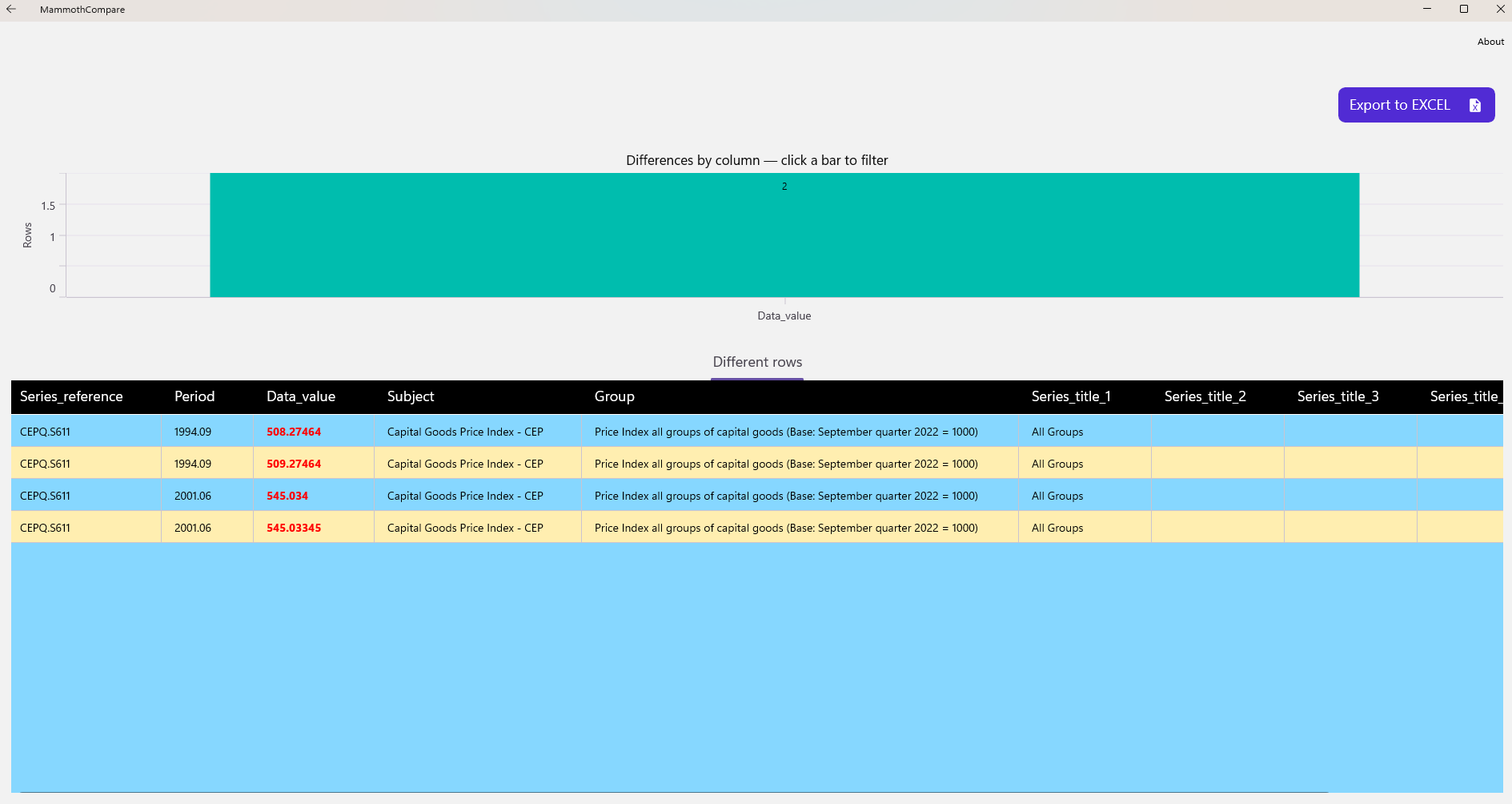
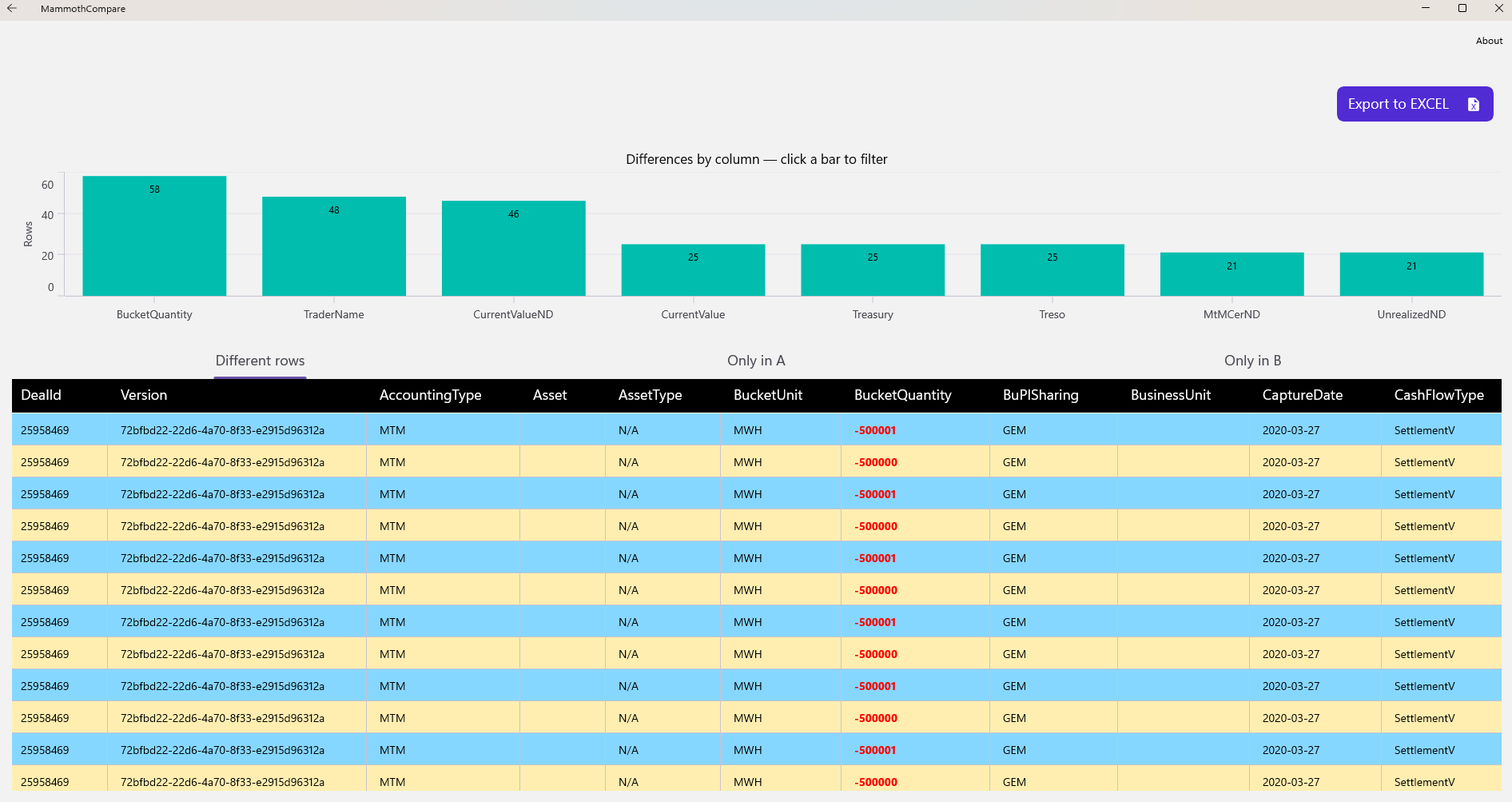
After the comparison completes, an advanced analysis view becomes available. It allows you to:
- preview rows that differ,
- inspect rows present only in one file,
- filter differences by column using an interactive chart,
- export all comparison results to Excel.
It can be downloaded freely here.
Columns and Keys
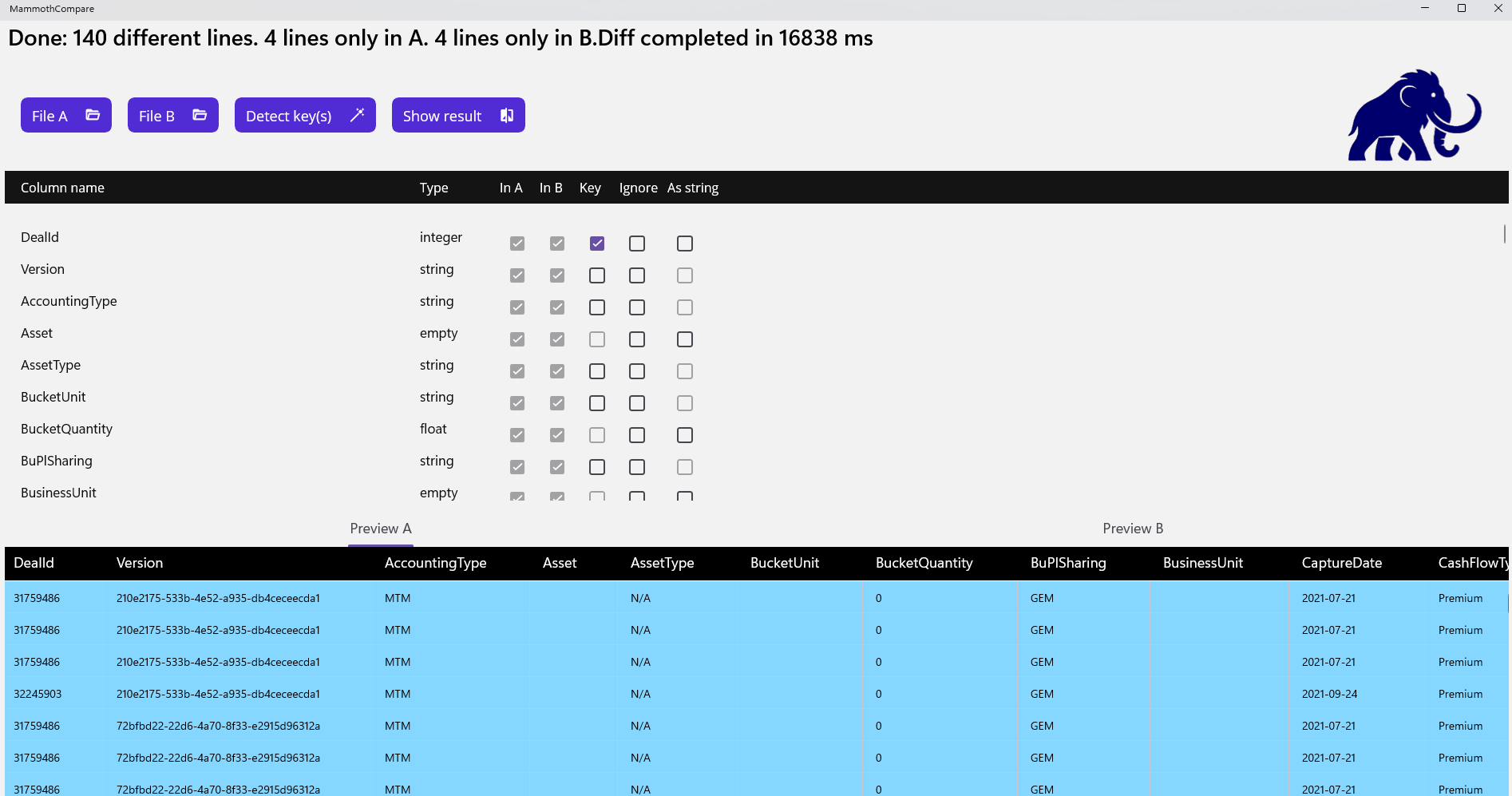
Selecting the right column(s) to act as a discriminant key is essential. Key points to consider:
- Only discrete data types can be used as keys (floating‑point values are excluded).
- Keys do not need to be unique, but they should be as discriminant as possible to ensure fast processing and avoid ambiguous matches.
- A key quality indicator is displayed as a percentage.
100% represents a perfect (unique) key. - Comparisons can still run with a weak key (as low as 1%), but stronger keys significantly improve performance, especially for multi‑gigabyte files.
- The key must represent the business identity of a row.
Technical identifiers (e.g., auto‑generated database IDs) should be ignored, as they often differ even when the rest of the data is identical. - The key selection wizard generally proposes good candidates, but a manual review is recommended.
Quick Start: Comparing Two Files with Different Columns and a Tricky Key
The installation package includes several demo files.
In this example, we use:
business_smal_extra_columnl-A.csvbusiness_smal_extra_columnl-B.csv
These files (derived from an open‑source dataset) are intentionally crafted to illustrate subtle key‑selection issues.
After selecting both files, the schema view and preview tabs show that each file contains an extra column (UNITS in A, STATUS in B). These columns are automatically ignored.
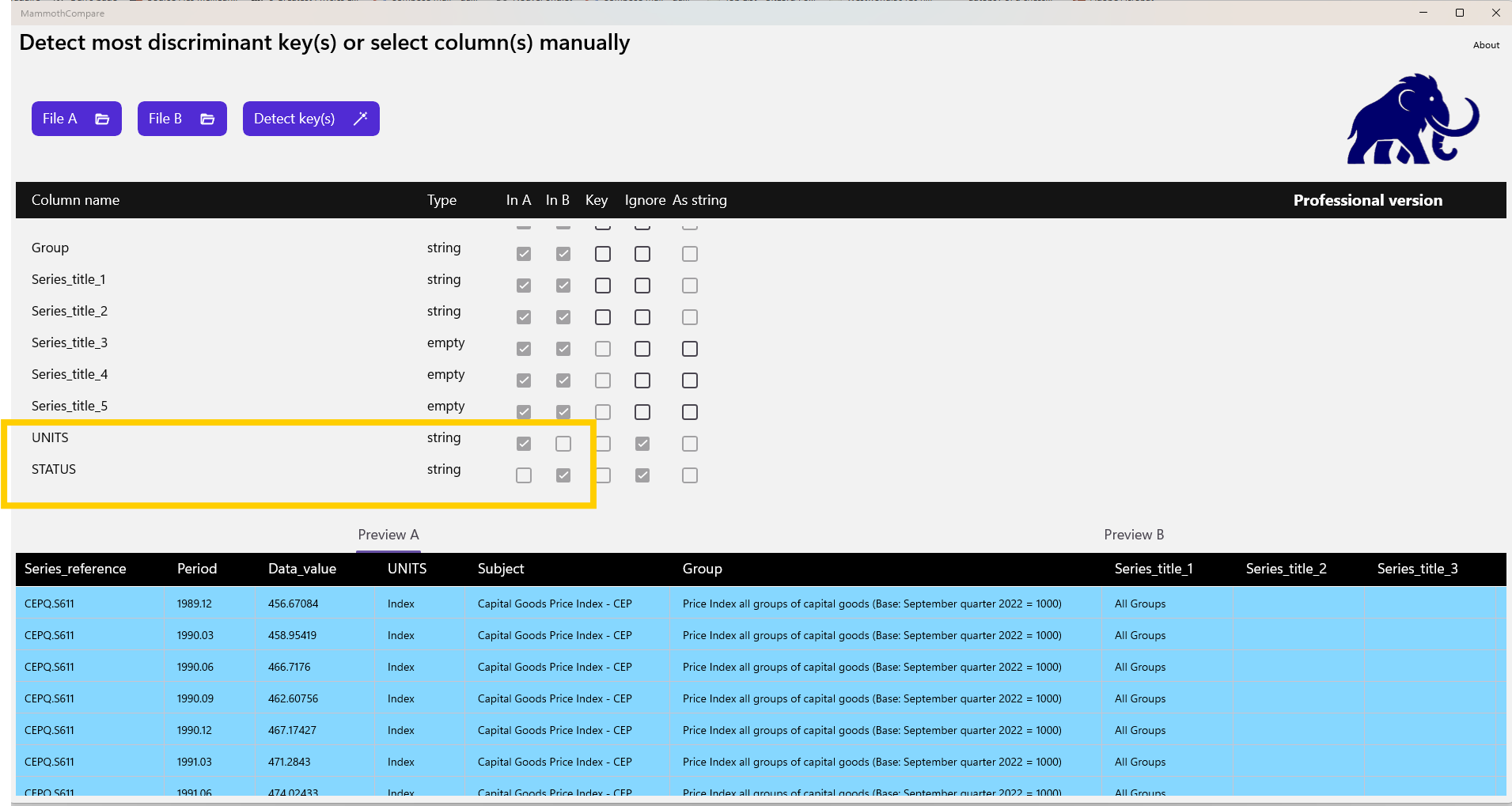
Next, we run the key selection wizard. It proposes only the series reference column, which results in a poor‑quality key.
We notice that the Period column—initially a good candidate—is ignored because it is interpreted as a floating‑point value (formatted as year.month), and floating‑point types cannot be used as keys.
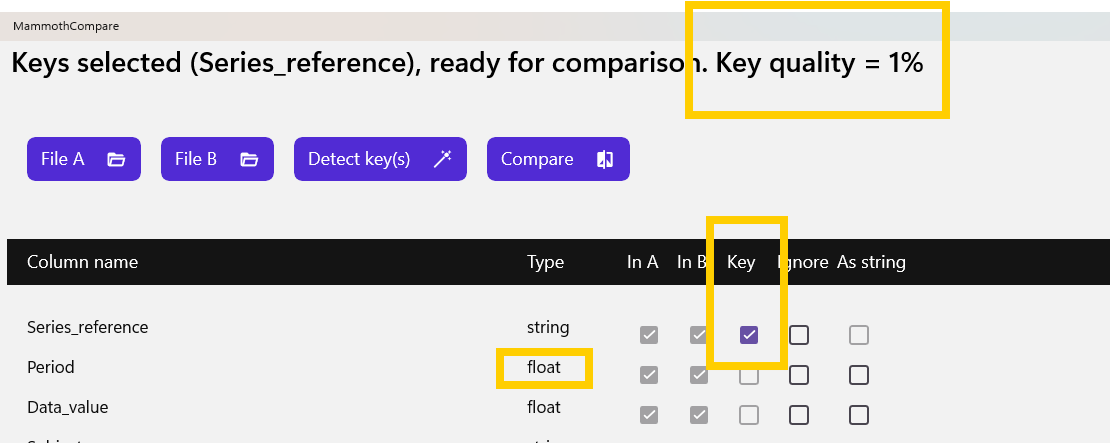
To fix this, we force the column type to string.
After reloading the files, the wizard identifies a perfect key combination that includes Period.
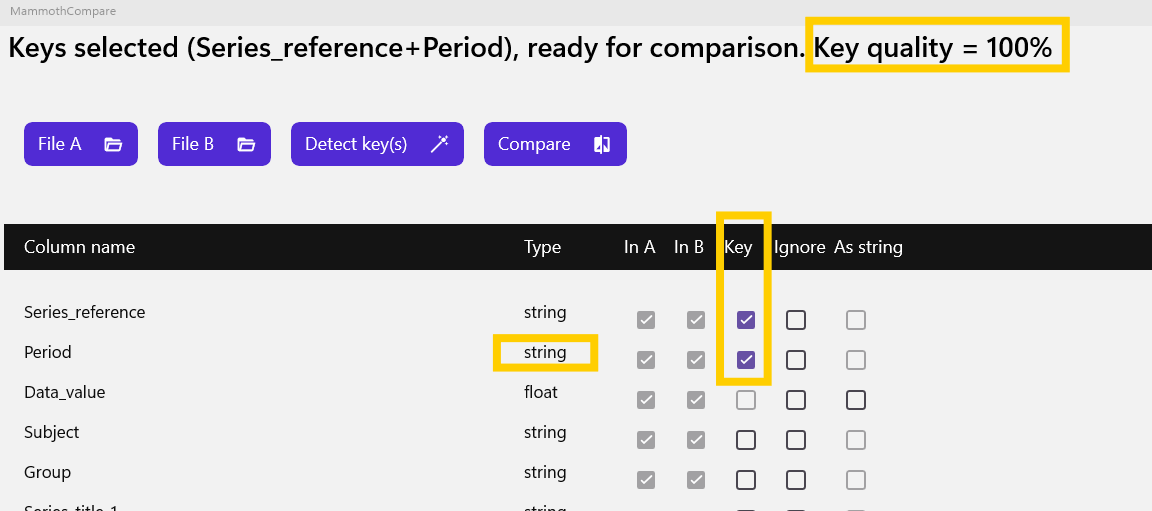
We can now run the comparison and inspect the results in the analysis view.